The Internet
Contents
1. LANs and WANs
The terms Local Area Network (LAN) and Wide Area Network WAN refer to the physical area a network covers.
Local Area Networks
A Local Area Network (LAN) covers a small geographical area such as a building. All the hardware that makes up the LAN is privately owned, e.g. the company using the LAN owns the LAN.
Examples of LANs include:
- Businesses
- Schools & Colleges
- Your own home
LANs can include wired and wireless devices.
Wide Area Networks
A Wide Area Network (WAN) connects LANs and computers over large geographical locations. WANs are owned by companies and access is rented or leased to its users (think about how people must pay for internet access).
Examples:
- The Internet - the largest WAN
- VISA / MasterCard - payment providers which use their network to authorise digital payments
- Military - they use WANs to provide secure communication between their difference bases of operation.
WANs connect devices and LANs using ethernet, fibre, satellite and phonelines.
2. Addressing
We need a way of identifying computers so data can be directed to the right one, and when that computer responds it knows where the data came from.
Every packet contains a destination and source address.
There’s two ways of identifying a computer on a network:
- IP Addresses
- MAC Addresses
MAC Addresses
When sending data between computers on a LAN we use MAC Addresses. Every Network Interface Card (NIC) has a hard coded unique MAC address.
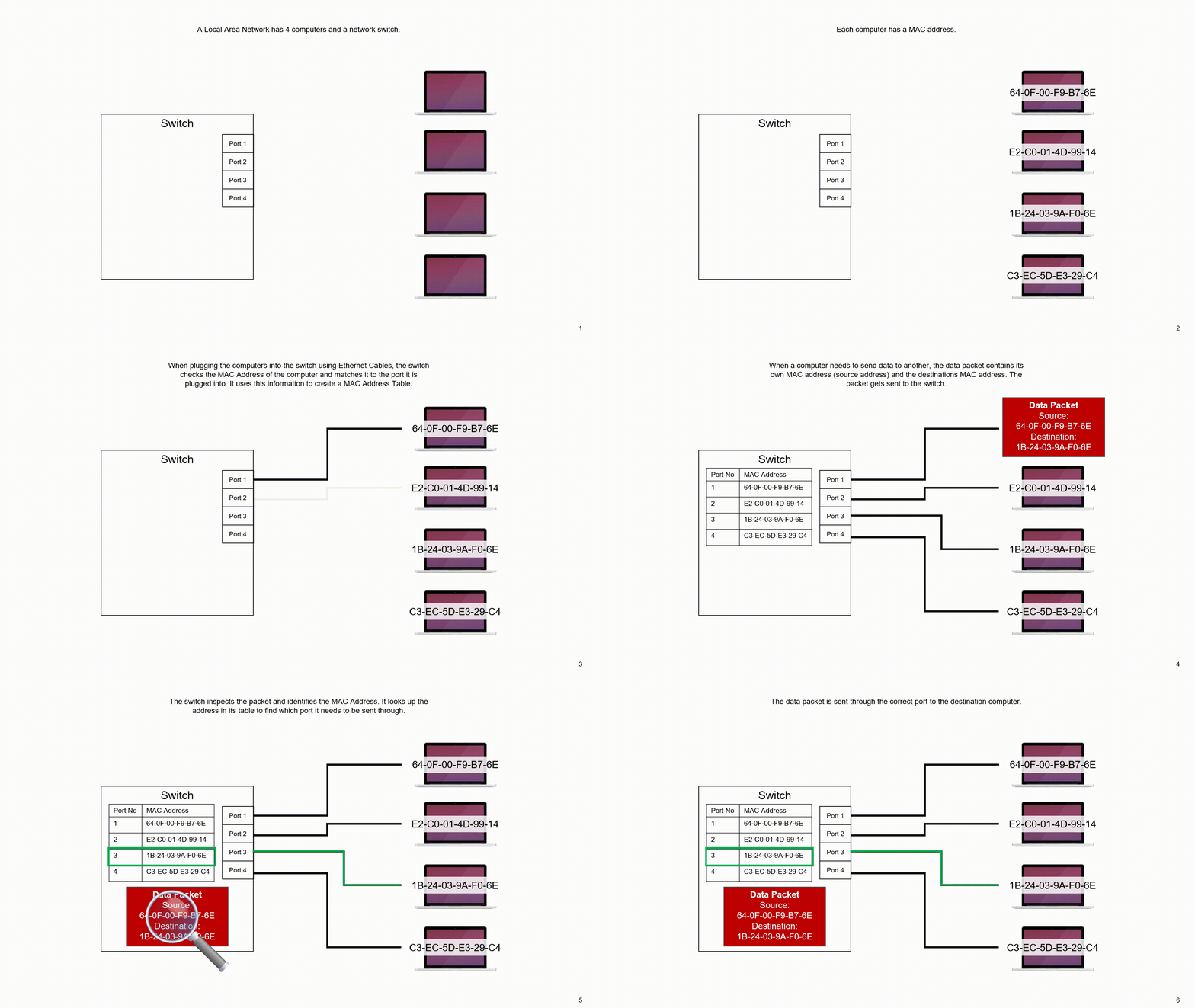
This address is a 48bit or 64bit binary number, but it is shown in a more human-friendly hexadecimal number.
A device with more than one method of connecting to a network will have multiple unique MAC addresses (one for each connection method).
If there is a situation where two devices had the same MAC address, it would cause a wide range of network errors.
IP Addresses
IP Addresses are needed for communication between different networks. The internet and home networks are based on the IP protocol.
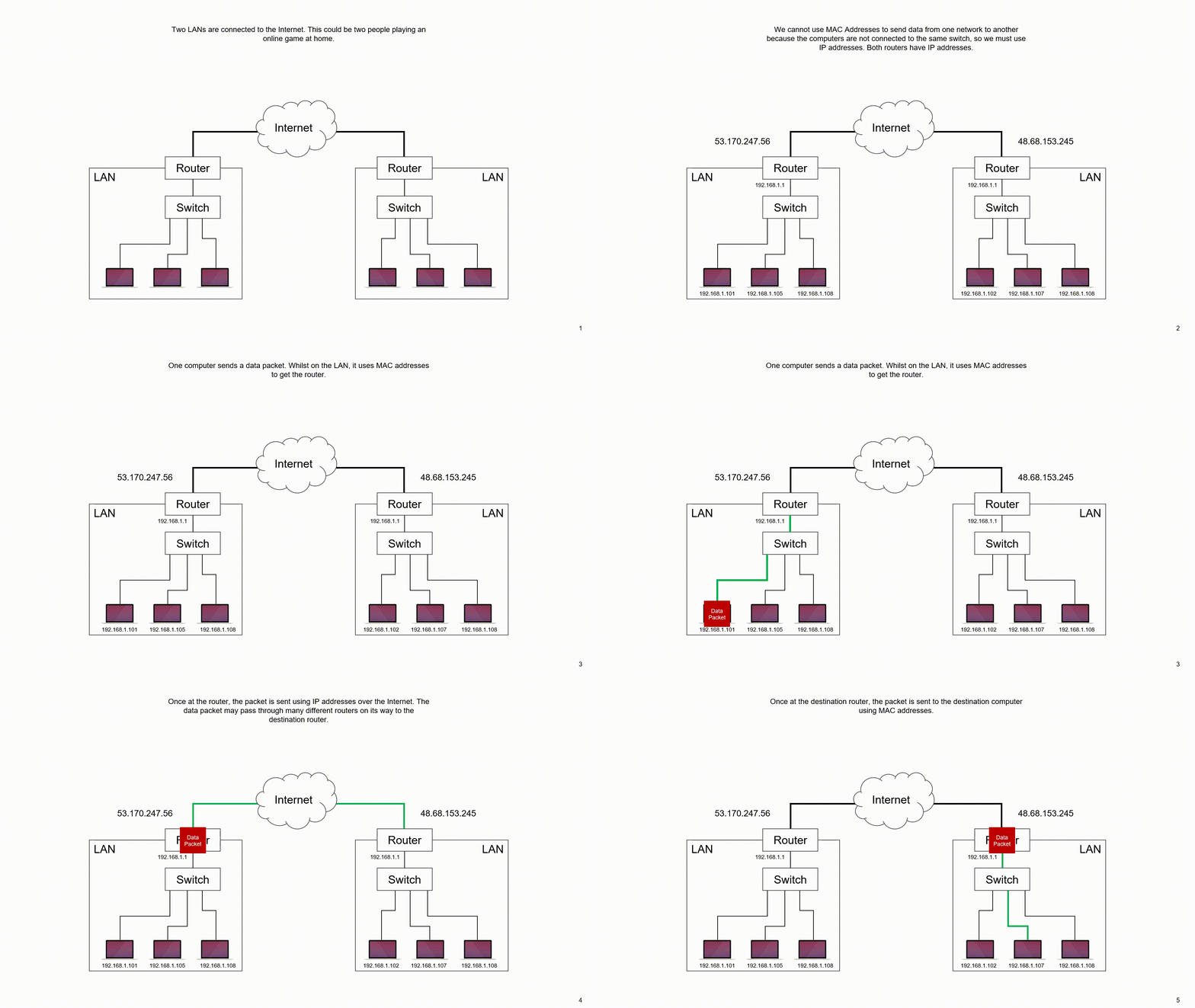
They are either 32bits (IPv4) or 128bits (IPv6) wide. We display IPv4 using denary numbers to make them more user friendly:
IPv4: 51.114.200.99
They can be dynamic or static:
- Static – A computer gets the same IP address each time it connects to the internet
- Dynamic – A computer gets a different IP address each time it connects to the internet
We mainly use IPv4 addresses, but we have run out of useable addresses.
We have managed by using dynamic addresses and only assigning IP addresses when a device connects to the internet.
Eventually, to continue adding devices to the internet, we will have to (slowly) continue transitioning over to IPv6.
We should never run out of IPv6 addresses: there are enough to give every grain of sand on Earth an address and still have plenty left over!
3. IPv4 and IPv6
Every device connected to the internet needs an IP address so that data can be delivered to the right place. There are two versions in use: IPv4 and IPv6. They differ in how many bits they use and in how they are written down.
IPv4
IPv4 addresses are 32-bit numbers. They are written as four decimal numbers separated by dots, and each number is between 0 and 255 because 8 bits can store 256 different values. Four groups of 8 bits give 32 bits in total, so there are 2 to the power of 32 possible IPv4 addresses, which is about 4.3 billion.
For example, 173.42.8.211 is a valid IPv4 address: four decimal numbers, each one 8 bits, joined by dots. As more and more devices came online, IPv4 addresses began to run out, so a larger version was needed.
IPv6
IPv6 addresses are 128-bit numbers. They are written in hexadecimal, using the digits 0 to 9 and the letters a to f, because each hexadecimal digit stands for exactly 4 bits. An IPv6 address has eight groups of four hex digits separated by colons, and each group is 16 bits: 8 groups of 16 bits is 128 bits.
For example, 3f1a:00c8:b45d:7e02:119f:6a3b:00d4:9e50 is an IPv6 address. With 128 bits there are 2 to the power of 128 possible addresses, an enormous number, which means running out of addresses is no longer a problem.
Comparing the two
| Version | Number of bits | How it is written |
|---|---|---|
| IPv4 | 32 | Four decimal numbers separated by dots |
| IPv6 | 128 | Eight groups of four hexadecimal digits separated by colons |
4. Static and Dynamic IP Addresses
Every device connected to the Internet needs an IP address so that data can be sent to the right place. An IP address can be static (fixed, so it never changes) or dynamic (it can change).
Static IP addresses stay the same every time the device connects to the Internet, and a network manager sets them up by hand. This is useful for devices that other computers must find reliably, such as a web server that holds a school's website. Because the address never changes, other devices always know where to send their requests.
Dynamic IP addresses are given out automatically and can change. A dynamic IP address may change when a device reconnects to the Internet. For example, each time a smart TV in a cafe reconnects to the Wi-Fi, the network might hand it a different address. Sharing addresses out like this means a network can reuse a smaller pool of them, because not every device is online at the same time.
Comparing the two
| Feature | Static IP address | Dynamic IP address |
|---|---|---|
| Does it change? | No, it stays the same | Yes, it can change on reconnection |
| Who usually has one? | Servers, printers, some business devices | Home broadband routers, tablets, smart TVs |
| Why use it? | So other devices can always find it | So addresses can be shared and reused |
5. Network Hardware
To connect computers together, you need specialised hardware. The most common hardware devices are:
- Network Interface Cards
- Switches
- Routers
- Wireless Access Points
Network Interface Card
A Network Interface Card (NIC) is hardware built into computers and allows them to connect to a network.In the past NICs were not built in and were optional expansion cards.
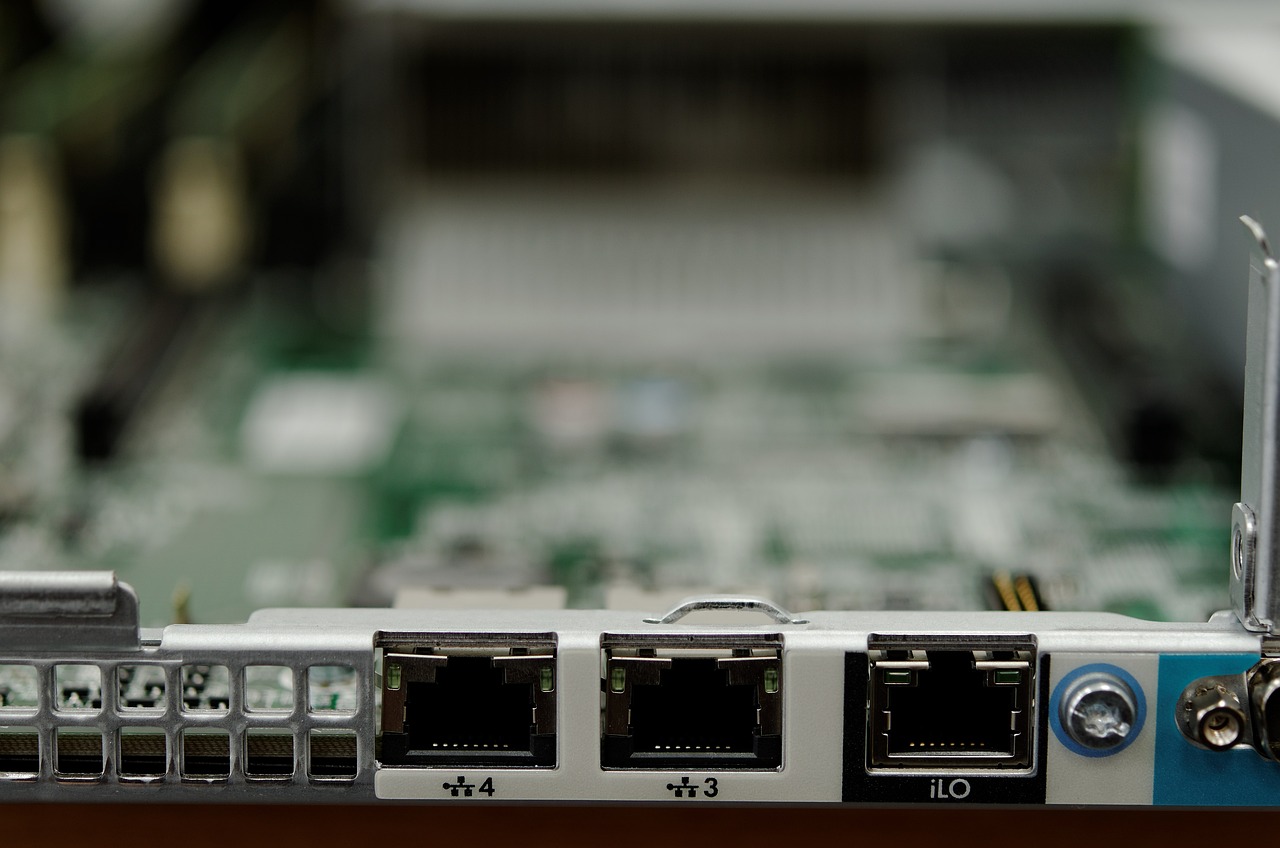
NICs can be wireless (to connect via WiFi) or wired (to connect via ethernet). NICs can be rated for different speeds, for example: a Ethernet NIC could be capable of different maximum speeds: 10 MB/s 100 MB/s , 1 GB/s, 10 GB/s , etc.
Switch
A network switch is used to connect devices together and it is often described as the central networking device. Devices are connected to a switch using Ethernet Cables. When a device sends data to another device, the data is received by the Switch and then directs that data to the device it is meant to.
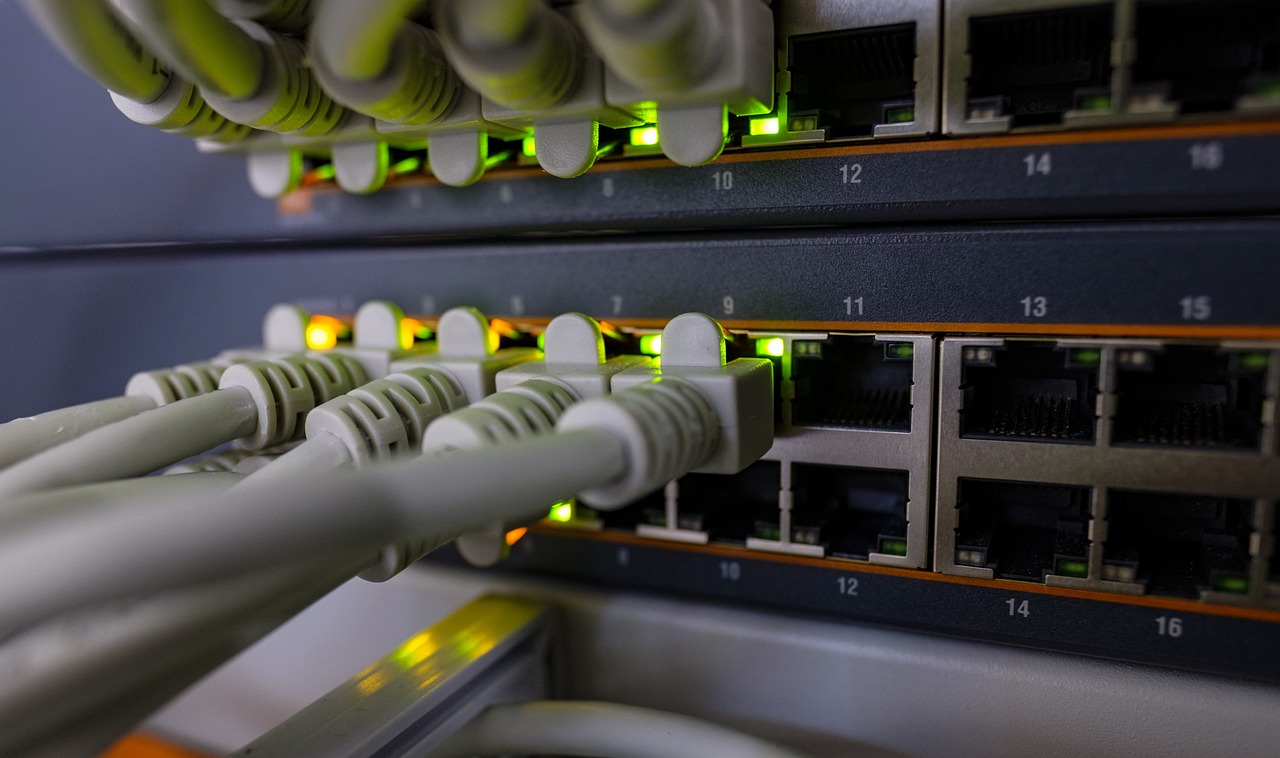
Switched make use of MAC addresses to direct network traffic.
Most run at 100MB/s (Megabit / second) or 1GB/s (Gigabit / second)
Router
Routers sit between two different networks and allow communication between them. Most often routers connect a LAN (Local Area Network) to the Internet (an example of a Wide Area Network)
Routers make use of IP Addresses to route data between networks.
Routers are a crucial internet device and transfer data packets between different privately owned networks that make up the internet
Wireless Access Points
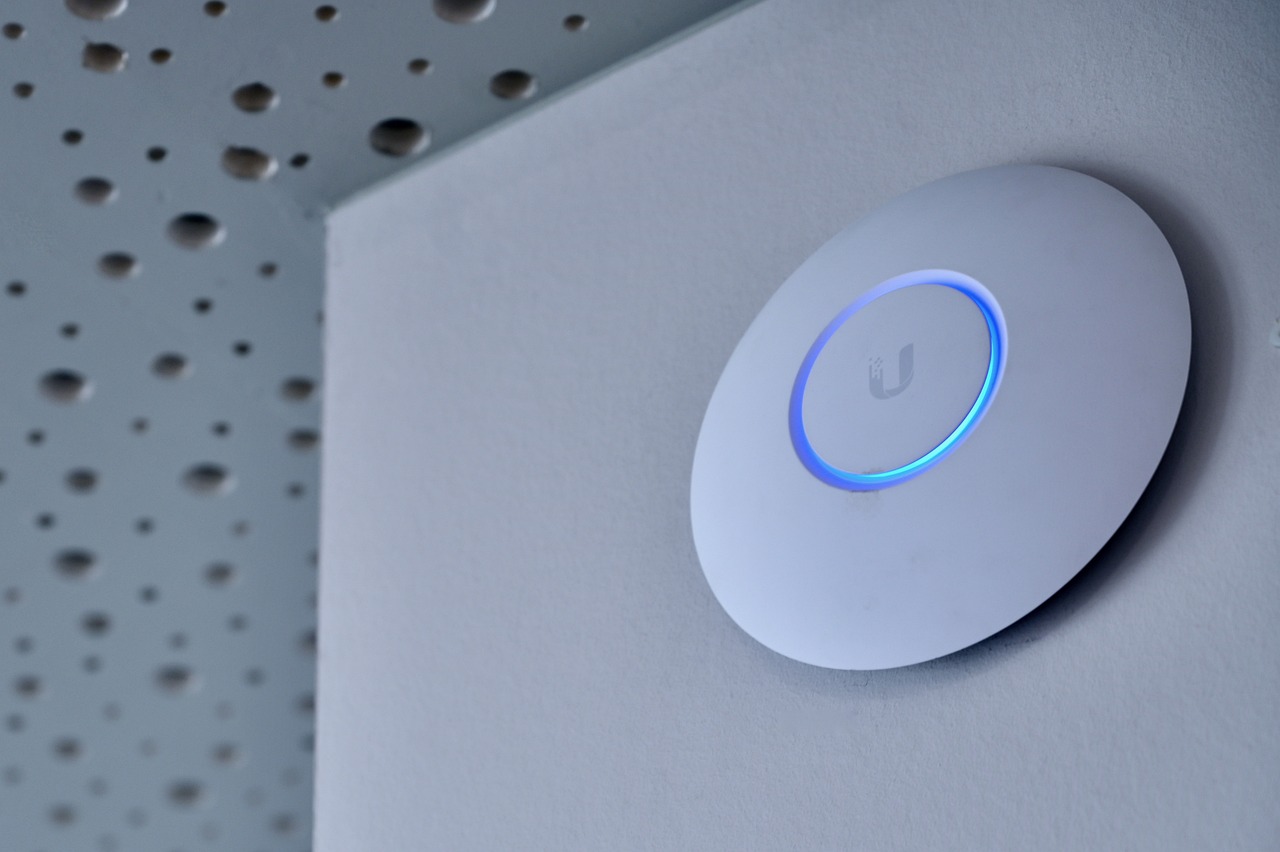
Wireless Access Points (WAP) allow devices to wirelessly connect to a network via WiFi. WAPs connect directly into a switch, and many can be powered directly over PoE (Power over Ethernet).
6. Routing
Routing is how routers guide packets across the Internet. Every router keeps a routing table, a list of the networks it knows about and the best next router to send a packet to for each one.
When a packet reaches a router, the router reads the destination IP address in the packet header. It looks that address up in its routing table. The table gives the next router along a path to that destination. The router forwards the packet to that next router. The next router does the same, and so on, until the packet reaches the network where the destination device sits. A routing table might look like this:
| Destination network | Next router | Metric |
|---|---|---|
| Network A | Router 2 | 2 hops |
| Network A | Router 5 | 5 hops |
| Network B | Router 1 | 1 hop |
Choosing the best route
A routing table can hold more than one possible route to the same destination. Each route has a metric, a score such as the number of hops (routers crossed). A lower metric usually means a faster route. For example, a packet might be able to go through Router M (3 hops) or Router N (1 hop). The router picks Router N because it uses the fewest hops. But if Router N's link is busy with lots of video streaming, the router can choose Router M instead, even though it has more hops, because it is less congested. So the "best" route is often the fastest or least congested one, not just the shortest.
Sharing information
Routers do not work alone. They share information with other routers about which networks they can reach and how busy or reliable those links are. If a cable fails, this sharing lets routers update their tables and find a new path around the problem. This happens automatically and continuously, so the Internet keeps working even when parts of it go down.
7. Packet Switching
Many of the files we send over a network are far too big to be sent in one go. Instead, we break them down into smaller manageable units called packets.
When receiving, for example a website, the website will be able up of thousands of individual packets
Each packet contains additional information to support the data being received and reassembled in the correct order.
- Sequence number
- Checksum
- Type of packet
- Addresses (sender & destination)
This data is stored in the header
Packet Switching
When sending packets over a network, or the internet, a series of steps take place. The below example using a webpage outlines the steps.
- You request a webpage
- The web server receives the request via the internet
- The webpage is broken down into smaller parts (packets)
- The packets are sent across the internet to your IP address. These packets may take different routes and arrive in a different order to that they were sent
- Your computer reassembles the packets into the website.
- If any packets are missing your computer requests the missing data.